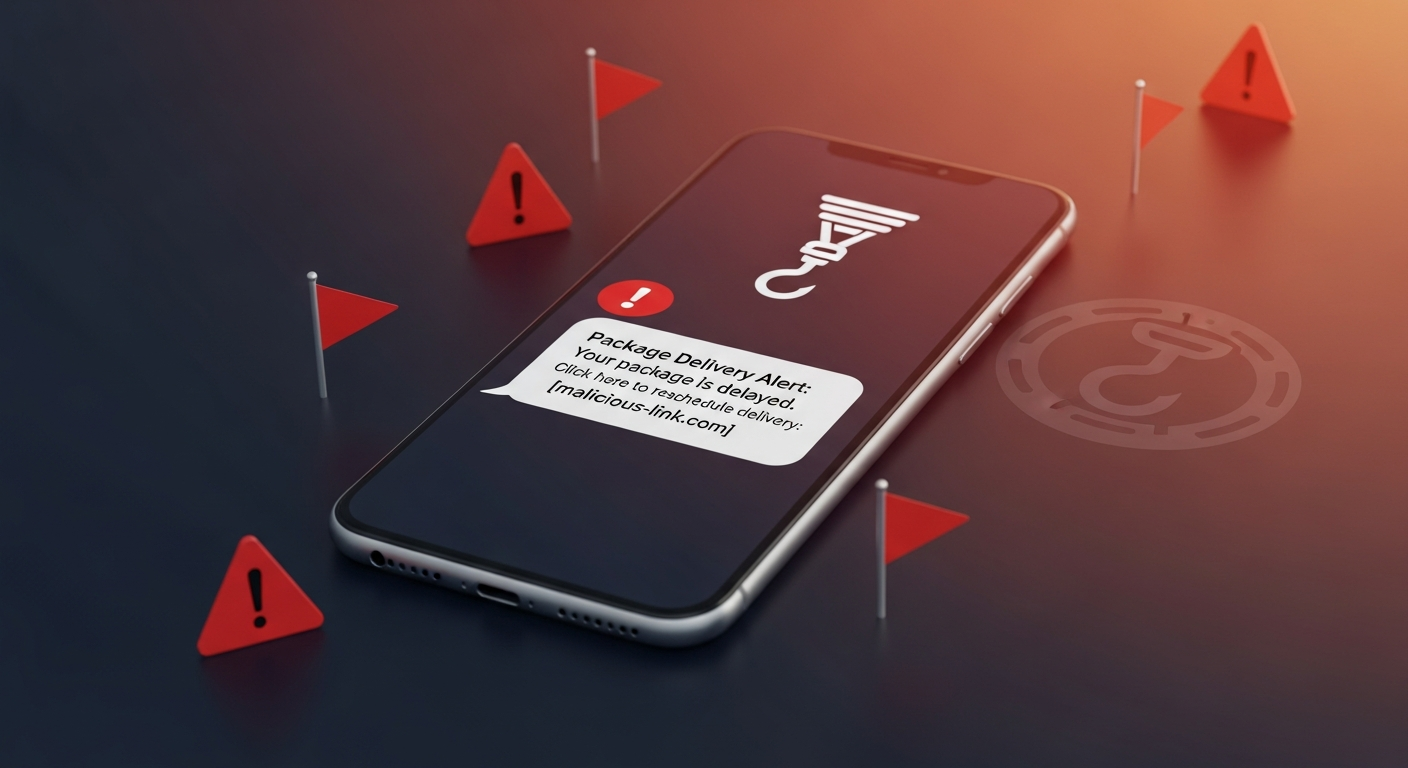
Text Message Scam: 15 Warning Signs
Why Scam Texts Work So Well on Smart People
15 Warning Signs of a Scam Text Message
Common Scam Text Scenarios You Should Know
What Scammers Actually Want From You
What Does a Scam Text Message Look Like? Real Examples
How to Check If a Text Message Is a Scam in 5 Steps
How AuthentiLens Helps You Scan Suspicious Messages and Links
What to Do If You Already Clicked a Link or Replied
How to Avoid Clicking Scam Text Links in the Future
FAQ
Scan Before You Trust
Your phone buzzes. You glance at the screen.
"The USPS package cannot be delivered due to incomplete address. Please click here to update."
Or maybe it says this. "Your bank account has been locked. Verify your identity immediately to restore access."
Or this. "You have an unpaid toll of $4.99. Pay now to avoid a late fee of $75."
Your heart speeds up just a little. You were expecting a package. You do have that bank account. You did drive on a toll road last week.
Should you click the link?
Stop. Do not click anything.
Learning how to tell if a text message is a scam is one of the most important digital safety skills you can learn. The FBI's Internet Crime Complaint Center receives more than 300,000 phishing complaints every year — many originating from scam texts. They are getting more convincing, and they work because they create panic and urgency.
This guide walks you through the most common scam text message signs. It shows you exactly what a scam text message looks like. And it gives you simple steps to verify before you click, reply, or share anything, including how to scan a suspicious link with AuthentiLens without ever clicking it.
Why Scam Texts Work So Well on Smart People
You might think only gullible people fall for scam texts. That is not true.
Scam texts work because they hijack your attention. You are busy. You are distracted. The message creates a small spike of anxiety. Your brain wants to resolve that anxiety quickly.
So you click. Just to check. Just to be safe.
Scammers know this. They design messages to look like real alerts from companies you actually use. USPS. FedEx. Amazon. Your bank. Your credit card company. A toll agency.
The message looks official. The logo looks familiar. The urgency feels real.
But it is all fake. And the link leads to a phishing site, malware, or a login stealer.
The good news is that scam text messages leave clues. Once you know what to look for, you can spot them in seconds.
15 Warning Signs of a Scam Text Message
If you see any of these suspicious text message warning signs, do not click anything. Do not reply. Stop and verify first.
1. The message creates urgent pressure
"Your account will be closed in 24 hours." "Your package cannot be delivered today." "You will be fined if you do not pay immediately."
Legitimate companies do not create fake emergencies via text. Scammers use urgency to stop you from thinking clearly.
2. There is a link you are supposed to click
This is the number one sign of a scam text. Real companies sometimes send links. But scam texts always send links. And those links lead to dangerous places.
If you want to know how to tell if a text message is phishing, look for an unsolicited link. That is your first red flag.
3. The sender is a long phone number or an email address
A legitimate text from a real company often comes from a short code , five or six digits. USPS uses short codes. Your bank uses short codes.
If the message comes from a regular looking phone number with many digits or from an email address, treat it as suspicious.
4. The message asks for personal information
"We need you to confirm your Social Security number." "Please verify your date of birth." "Enter your bank login to confirm your identity."
No legitimate company will ask for sensitive personal information over text. This is one of the clearest fake text message red flags.
5. The grammar or spelling feels off
Small mistakes. Odd capitalization. Strange word choices. Many scam texts come from organized fraud operations where English is not the first language.
The message might say "your package delivery has been postponed" instead of "delayed." It might say "kindly click the link" instead of "click here."
These small errors are valuable scam text message signs.
6. The message creates a problem you did not expect
You were not expecting a package. You do not have an account with that bank. You have not driven on a toll road in months.
Scammers send thousands of messages at once. They hope some percentage of people will be expecting a package or worrying about a bank issue. But if the problem does not apply to you, it is almost certainly a scam.
7. The link looks slightly wrong
Hover over the link if you are on a computer. On a phone, press and hold to see the full address.
The link might say USPS.com but actually go to usps-delivery-update.xyz. Scammers register fake domain names that look almost real. Learning how to know if a text link is safe means checking the actual destination, not just the text.
8. The message asks you to reply with information
"Please reply with your full name." "Text back your account number." "Confirm your address by replying YES."
Legitimate companies do not collect sensitive information through text message replies. This is a common sign of a scam text.
9. The message mentions a fee or payment for a small amount
"You owe $3.99 for postage." "Your toll fee of $4.75 is overdue." "Pay a small fee to release your package."
Scammers use small amounts because they seem less suspicious. They are hoping you will pay without thinking. Once they have your credit card information, they will take much more.
10. The message uses a generic greeting
Dear customer. Dear user. Valued member.
Real companies usually address you by name. Scammers do not have your name. They use generic greetings to hide that fact.
11. The message comes at a strange time
Late at night. Early morning on a weekend. A bank alert at 2 AM is almost certainly a scam. Real companies generally send important alerts during normal business hours.
12. The message asks you to download an app or update software
"Click here to update your delivery app." "Install this security patch to verify your account."
These downloads often contain malware. Once installed, the malware can steal your passwords, banking information, or contacts.
13. The message threatens a consequence
"Your account will be permanently closed." "You will face legal action." "Your package will be destroyed."
Scammers use threats to create fear. Fear makes you act without thinking. Real companies do not threaten you via text message.
14. The message offers something that sounds too good to be true
"You have won a free gift card." "Claim your prize now." "You have been selected for a special offer."
These are classic phishing text message signs. Legitimate companies do not announce prizes or giveaways through random text messages.
15. The message asks you to confirm a charge you do not recognize
"Did you make a purchase for $499.99? Reply YES or NO to confirm."
If you reply NO, the scammer will ask you to click a link to dispute the charge. That link leads to a fake login page where they steal your credentials.
Common Scam Text Scenarios You Should Know
Here are the most common types of scam texts you will encounter.
Fake USPS Text Scam Signs
The message says a package cannot be delivered due to an incorrect address. You need to click a link to update your information. The link leads to a fake USPS page that steals your credit card information under the guise of a small redelivery fee.
Fake Bank Text Scam Warning Signs
The message says your bank account has been locked or suspicious activity has been detected. You must verify your identity immediately. The link leads to a fake bank login page. If you enter your username and password, the scammers now have access to your real account.
Fake Toll Road Text Scam Signs
The message claims you have an unpaid toll of a few dollars. Pay now to avoid a late fee. The link leads to a payment page that steals your credit card information. This scam has become extremely common in recent years.
Fake Package Delivery Text Signs
The message claims a delivery is waiting but requires a small fee or address confirmation. Scammers use Amazon, FedEx, UPS, and DHL names. The goal is always to get you to click the link.
Fake Account Verification Text
The message says your account has been flagged and you need to verify your information immediately. These messages often target PayPal, Venmo, CashApp, or cryptocurrency accounts.
Knowing these patterns helps you identify a scam text before you engage. If a profile or person on a dating app sent you the suspicious text, also see our guide on the 15 signs of a romance scam .
What Scammers Actually Want From You
Understanding their goal helps you recognize scam texts faster.
- Your login credentials. They want your bank username and password. Your email login. Your social media accounts.
- Your credit card information. They want the number, expiration date, and CVV. They will use it for fraudulent purchases or sell it to other criminals.
- Your personal information. They want your full name, address, date of birth, and Social Security number. Enough to steal your identity.
- Access to your device. Clicking a link can install malware. That malware can monitor everything you type, including passwords.
- Money directly. Some scam texts skip the middle steps and just ask you to pay a fake fee or fine.
Every scam text leads to one of these outcomes.
What Does a Scam Text Message Look Like? Real Examples
Here are three actual examples of scam text messages.
Example 1: Fake USPS Text
The real USPS scam awareness page confirms that USPS will never send unsolicited texts asking you to provide personal information via a link.
"USPS: Your package has arrived at the warehouse but cannot be delivered due to incomplete address information. Please confirm your address at the following link within 12 hours to avoid return to sender. usps-delivery-update.com"
Example 2: Fake Bank Text
"Chase Alert: We detected suspicious activity on your account. Your online banking has been temporarily locked. Please verify your identity immediately at chase-verification[dot]net to restore access."
Example 3: Fake Toll Road Text
"EZDriveMA: Your vehicle has an unpaid toll invoice of $4.99. To avoid a late fee of $75, please settle your balance here: masstoll-payment[dot]com"
In every case, the link is fake. The message is a scam. And clicking the link would put you at risk.
How to Check If a Text Message Is a Scam in 5 Steps
If you receive a suspicious text, follow these steps. Do not click anything first.
- Do not click the link. This is the most important rule. No matter how urgent the message seems, do not tap that link.
- Look for the warning signs above. Does the message create urgency? Does it come from a strange number? Is the grammar slightly off? Does it ask for personal information?
- Verify through official channels. If the message claims to be from USPS, go to USPS.com directly. Do not use the link in the text. If it claims to be from your bank, call the number on the back of your credit card or log in through your banking app.
- Scan the link with AuthentiLens if you are still unsure. You can copy the suspicious link and scan it without clicking . AuthentiLens analyzes the link and tells you if it is safe or dangerous. You get 5 free scans.
- Delete the message and report it. Once you have confirmed it is a scam, delete the text. On iPhone, you can report it as junk. On Android, you can report it as spam.
How AuthentiLens Helps You Scan Suspicious Messages and Links
AuthentiLens gives you a simple way to check before you trust.
When you receive a suspicious text, you can copy the message and paste it into AuthentiLens. The tool analyzes the language for scam patterns, phishing attempts, and known fraud scripts.
You can also copy any link from the message. AuthentiLens scans the link without you ever visiting it. You will know immediately if the link is dangerous, suspicious, or safe.
This works for more than just texts. You can also scan emails, social media messages, dating app conversations, and suspicious links from any source. Read more about how AuthentiLens works and what each result means in our FAQ .
It takes seconds. It is private. And you get 5 free scans to start.
The core message is simple. Scan before you trust. Before you click. Before you reply. Before you panic.
What to Do If You Already Clicked a Link or Replied
Do not panic. But act quickly.
- Disconnect your device from the internet. Turn on airplane mode. This prevents malware from sending your information out immediately.
- Run a security scan on your device. Use trusted antivirus software if you have it.
- Change your passwords. Start with your email account, then your bank, then any other important accounts. Use strong, unique passwords.
- If you entered credit card information, contact your bank immediately. Ask them to monitor for fraud or issue a new card.
- If you entered login credentials for a specific account, log into that account directly through the official website and change your password right away.
- Monitor your accounts for suspicious activity over the next several weeks.
- Report the scam to the FTC at reportfraud.ftc.gov and file a complaint with the FBI's IC3. Log it at the BBB Scam Tracker too, to warn others in your area.
Finally, learn from the experience. Going forward, always scan before you trust. AuthentiLens can help you avoid this situation next time.
How to Avoid Clicking Scam Text Links in the Future
The best protection is a simple habit. Pause before you click.
Every time a text message asks you to click a link, stop for three seconds. Ask yourself these questions.
- Was I expecting this message?
- Does the sender look legitimate?
- Is there urgency or pressure?
- Is the link address slightly wrong?
If any answer makes you uncertain, do not click. Verify through another channel. Go to the official website directly. Call the official phone number. Or scan the link with AuthentiLens first.
Make scanning a routine. Five free scans are enough to get started. If you find yourself receiving many suspicious texts, AuthentiLens Pro costs $9.99 per month for unlimited scans and ongoing protection.
FAQ
How can I tell if a text message is a scam?
Look for urgency, unsolicited links, requests for personal information, poor grammar, and senders with strange phone numbers. If the message pressures you to act immediately, it is likely a scam.
What are the most common fake USPS text scam signs?
Fake USPS texts claim a package cannot be delivered due to an address problem. They include a link to update your information. The link leads to a fake website that steals your credit card or personal details.
What should I do if I get a scam text?
Do not click any links. Do not reply. Delete the message and report it as spam or junk. If you are unsure, scan the link with AuthentiLens first.
How do I know if a text from my bank is fake?
Fake bank texts create urgency about locked accounts or suspicious activity. They include a link to verify your identity. Real banks will never ask you to click a link in a text message to confirm sensitive information. Call the number on the back of your card instead.
What are fake toll road text scam signs?
These texts claim you owe a small unpaid toll. They threaten a large late fee if you do not pay immediately. The link leads to a fake payment page that steals your credit card information.
How can I check if a text link is safe without clicking it?
Copy the link and paste it into AuthentiLens . The tool scans the link and tells you if it is dangerous, suspicious, or safe. You never have to click the link yourself.
What are the signs a text message is not legitimate?
Generic greetings, urgent demands, requests for personal information, strange links, poor grammar, and threats of account closure or legal action. These are all signs of a scam text.
How can I avoid clicking scam text links in the future?
Pause before you click. Verify through official channels. Use AuthentiLens to scan suspicious links before you trust them. And remember the core rule. If you did not expect the message, treat it with suspicion.
Scan Before You Trust
You do not have to guess. You do not have to panic.
The next time your phone buzzes with a suspicious message, pause. Take a breath. Do not click anything.
Then take one simple action. Scan it with AuthentiLens.
Scan the message. Scan the link. Get a clear answer before you trust.
It is fast. It is free to start. And it could save you from a phishing attack, malware, or stolen identity.
Scam texts impersonate many organizations. See our guides on DMV text scams, toll road text scams, and fake Amazon texts.