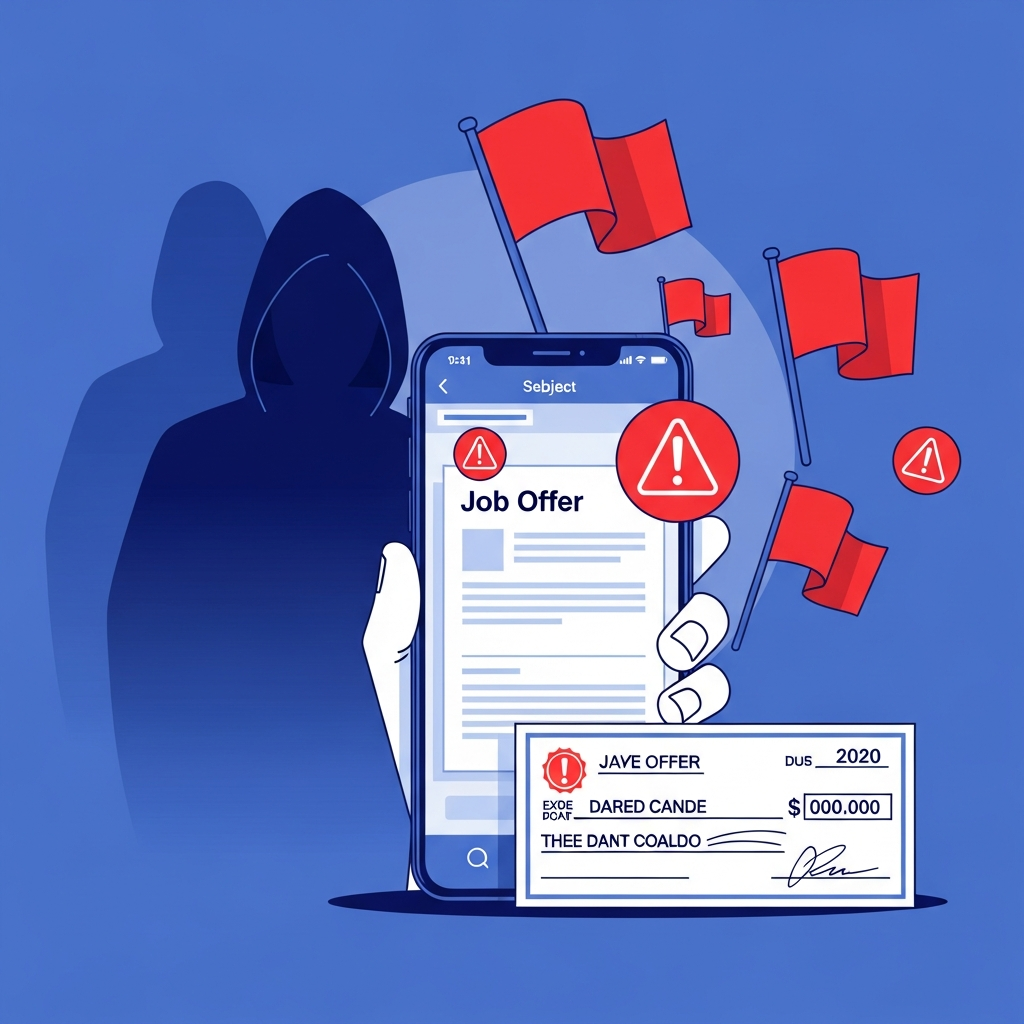
Online Job Scam: 15 Warning Signs
Common Types of Online Job Scams
15 Signs of a Job Scam Online
How to Tell If a Job Offer Is a Scam Using These Signs
Fake Work From Home Job Signs You Need to Know
What Does a Job Scam Look Like? Real Examples
How to Verify an Online Job Offer Before Accepting
How AuthentiLens Helps You Spot Job Scams
What to Do If You Gave Information to a Fake Recruiter
How to Avoid Online Job Scams Going Forward
FAQ
Final Word
You have been applying for jobs for weeks. Your inbox is full of rejection emails. Then you see it. A message from a recruiter. They love your resume. They want to hire you immediately. The job pays well. It is fully remote. You can start tomorrow.
You feel a wave of relief and excitement. Finally, a break.
But then the recruiter asks for your bank account information. They want you to deposit a check and buy equipment. They need your Social Security number right away.
Your excitement turns to doubt. Something feels wrong.
Learning the signs of a job scam online could save you from losing money, having your identity stolen, or wasting time on a fake opportunity.
This guide walks you through the most common online job scam warning signs. It shows you how to tell if a job offer is a scam. And it gives you practical steps to verify any employer before you share personal information using AuthentiLens .
Common Types of Online Job Scams
Before you can spot a job scam, you need to know what you are up against.
- The fake check scam. The scammer sends you a check for equipment or supplies. They ask you to deposit the check and send money to a vendor. The check bounces. You lose the money you sent.
- The equipment purchase scam. The scammer says you need to buy equipment for your new job. They ask you to pay upfront. The equipment never arrives. The job does not exist.
- The identity theft scam. The scammer asks for your Social Security number, driver's license, and bank account information during the fake onboarding process. They use your information to steal your identity.
- The work from home task scam. The scammer hires you for simple tasks like liking posts or rating videos. They pay you small amounts at first. Then they ask you to pay to unlock higher paying tasks. You pay. They disappear.
- The fake recruiter impersonation scam. The scammer pretends to be a recruiter from a real company. They use a fake email address and stolen company branding. They conduct fake interviews and make fake offers. (See our full guide to impersonation scam warning signs .)
- The upfront fee scam. The scammer asks you to pay for background checks, training, software, or application fees. Real employers do not ask job seekers to pay for these things.
Knowing these employment scam red flags helps you recognize them early.
15 Signs of a Job Scam Online
If you notice several of these fake job offer signs, stop the process immediately.
1. The job offer arrives out of nowhere
You did not apply for this job. The recruiter found your resume online. They want to hire you immediately without an interview.
Real companies interview candidates before making offers. Unsolicited job offers are almost always scams.
2. The pay is too good for the work
The job pays $50 per hour for simple data entry. The job pays thousands per week for part time work. The pay seems impossible.
Scammers use high pay to lower your guard. If the pay sounds too good to be true, it is a scam.
3. The interview is text based only
The recruiter interviews you by chat or text message. There is no phone call. No video call. No in person meeting. The questions are generic.
Real recruiters want to talk to you. Text only interviews are a major online job scam warning sign.
4. The recruiter emails from a free or fake domain
The email comes from gmail.com, yahoo.com, or a domain that is close to a real company but slightly wrong. @amazon-hiring.net instead of @amazon.com.
Real companies use their own domain for recruiting emails. Check the sender address carefully. (More on this in our guide to phishing email warning signs .)
5. The recruiter asks for money upfront
Please pay for your background check. Please pay for training materials. Please pay for software access.
Real employers never ask job seekers to pay for anything. This is a clear fraudulent hiring scam sign.
6. The recruiter asks for sensitive personal information immediately
Send me your Social Security number. What is your bank account number? Tell me your driver's license number.
This information should only be shared after you have verified the company is real and accepted a legitimate offer. Sharing it early is dangerous.
7. The recruiter sends you a check before you start
We are sending you a check to buy equipment. Deposit it and send money to our vendor.
The check is fake. It will bounce. You will lose the money you send. This is a classic fake check job scam sign.
8. The recruiter pressures you to act fast
This offer is only good for 24 hours. Other candidates are waiting. You need to decide now.
Scammers create urgency to stop you from thinking and verifying. Real employers give you time to decide.
9. The job posting has spelling and grammar errors
The job description is poorly written. There are typos. The sentences do not flow well. The company name is misspelled.
Legitimate companies have professional job postings. Errors suggest a scam.
10. The recruiter communicates poorly
Their messages are vague. They avoid specific questions. They cannot tell you basic details about the company or role.
Real recruiters know their company and the job they are hiring for.
11. The job is fully remote but the company has no online presence
You search for the company online. There is no website. No LinkedIn page. No reviews. Nothing.
Every legitimate company has some online presence. No presence is a suspicious job offer red flag.
12. The recruiter asks you to download software or click a link
Click here to start onboarding. Download this app for training. Install this software for your first task.
The link could lead to malware. The software could be spyware. Do not click or download until you verify the company. Our guide to checking if a link is suspicious walks through this safely.
13. The job involves receiving and forwarding money
The job is a payment processor. You receive money into your account and forward it to another account. You keep a percentage as payment.
This is money laundering. It is illegal. You could face criminal charges.
14. The recruiter's profile looks fake
You check their LinkedIn profile. It was created recently. They have few connections. Their profile photo looks like a stock image. Their work history is thin or fake.
These are fake recruiter warning signs.
15. Your gut says something is wrong
Trust this feeling. You have been applying for jobs. You know what real opportunities feel like. If something feels off, it probably is.
Do not ignore your gut to chase a paycheck that does not exist.
Suspicious job offer in your inbox right now?
Do not trust it. Scan the recruiter's email, the company link, or any attachment with AuthentiLens before you reply. You get 5 free scans and an answer in seconds.
Scan a suspicious job offer →How to Tell If a Job Offer Is a Scam Using These Signs
Here is how to apply the signs to a real situation.
You receive an email from a recruiter. The job is a remote data entry position. The pay is $45 per hour. The interview is by chat. The recruiter wants to send you a check for equipment. They need your bank account information for direct deposit. They are in a hurry.
You look at the email address. It ends with @gmail.com. You search for the company. There is no website. The recruiter's LinkedIn profile was created last week.
You have seen multiple online job scam warning signs. This is a scam. Do not respond. Block the recruiter. Report the job posting.
Fake Work From Home Job Signs You Need to Know
Work from home jobs are a prime target for scammers. Here are the specific signs.
The job requires no experience but pays very well. The interview is by text only. The recruiter asks for money upfront. The recruiter sends a check for equipment. The company has no online presence. The job involves receiving and forwarding money. The recruiter pressures you to act fast.
If you see these fake work from home job signs, stop the process immediately. Real remote jobs exist. But they follow normal hiring practices. Interviews by video or phone. No upfront payments. No fake checks.
What Does a Job Scam Look Like? Real Examples
Here are three real examples of job scams.
Example 1: The Fake Check Scam. You are hired for a remote administrative assistant job. The recruiter sends a check for $3,000 to buy a laptop and software. They ask you to deposit the check and send $2,500 to their vendor for the equipment. You deposit the check. You send $2,500. The check bounces. You lose $2,500. There is no job.
Example 2: The Identity Theft Scam. You apply for a job on a fake job board. A recruiter contacts you the next day. They offer you the job immediately. They need your Social Security number, driver's license, and bank account information for onboarding. You provide it. The recruiter disappears. Your identity is stolen.
Example 3: The Upfront Fee Scam. You find a great remote job posting. The recruiter says there is a $200 fee for a background check and training materials. You pay. The recruiter thanks you and says you will receive onboarding information soon. You never hear from them again. The job never existed.
These examples show why learning how to spot a job scam is essential for every job seeker.
How to Verify an Online Job Offer Before Accepting
If you receive a job offer, here is how to verify it.
- Research the company. Search for their website. Look for a LinkedIn page. Read reviews on Glassdoor and Indeed. Look for news articles or press mentions.
- Check the recruiter. Look them up on LinkedIn. See if they have a real profile with connections and work history. Search for their name with the company name.
- Verify the email address. Legitimate recruiters email from company domains. Look for small misspellings or extra words in the domain.
- Call the company directly. Find the company's official phone number on their website. Call and ask if the recruiter works there and if the job posting is real.
- Scan the recruiter's email, links, and attachments. AuthentiLens analyzes the content for scam patterns, phishing attempts, and malware.
- Never pay money for a job. Never share personal information before verifying. Never deposit checks from strangers.
How AuthentiLens Helps You Spot Job Scams
AuthentiLens gives you a simple way to check suspicious job opportunities.
You can scan an email from a recruiter. The tool analyzes the language for scam patterns, urgent language, and fake offer scripts.
You can scan any links in the email. AuthentiLens checks the destination without you clicking. You will know immediately if the link is dangerous, suspicious, or safe.
You can scan attachments. The tool checks for malware, phishing forms, and manipulated documents.
You can scan a recruiter's profile photo or company logo. AuthentiLens checks for signs of AI generation or stock photo use.
The tool does the technical analysis for you. You just need the habit. When you receive a job offer, scan it before you trust it.
You get 5 free scans to start. AuthentiLens Pro costs $9.99 per month for unlimited scans.
What to Do If You Gave Information to a Fake Recruiter
If you already shared personal information or sent money to a fake recruiter, here is what to do.
- Stop all communication with the scammer. Do not send more money. Do not share more information.
- If you shared your Social Security number, place a fraud alert on your credit reports. Contact one of the three major credit bureaus. They will notify the others.
- If you shared your bank account information, contact your bank immediately. Ask them to monitor for fraud or close the account.
- If you shared your driver's license number, contact your local DMV. Ask if you need to request a new license number.
- If you deposited a fake check and sent money, contact your bank immediately. The check will bounce. You will owe the bank the amount of the check.
- If you clicked a suspicious link or downloaded software, run a security scan on your device. Change any passwords you may have entered.
- Report the scam to the FTC at reportfraud.ftc.gov and the FBI's IC3. Log it at the BBB Scam Tracker. Report the fake job posting to the platform where you found it.
- Be kind to yourself. Job scams are designed to trick smart, desperate people. You are not foolish. You were targeted.
How to Avoid Online Job Scams Going Forward
The best protection is a simple set of habits.
Research every company before you apply. Verify every recruiter before you trust them. Never pay money for a job. Never share personal information before verification. Never deposit checks from strangers. Keep verification a normal part of your job search.
Use AuthentiLens to scan suspicious emails, links, attachments, and profiles. When in doubt, scan before you trust.
And remember this rule. Real jobs have real interviews. Real recruiters use real company email addresses. Real employers never ask for money upfront. If something feels off, it is a scam.
FAQ
What are the most common signs of a job scam online?
Unsolicited job offers, pay that is too high, text only interviews, requests for money upfront, requests for personal information, fake checks, urgency, poor grammar, and no online company presence.
How can I tell if a job offer is a scam?
Research the company. Check the recruiter's email address. Look for the company online. Never pay money for a job. Never share personal information before verifying. Scan the offer with AuthentiLens.
What are fake work from home job signs?
No experience required but very high pay. Text only interviews. Requests for upfront payment. Fake checks for equipment. No company online presence. Pressure to act fast.
How do I spot a fake recruiter?
They email from a free or fake domain. Their LinkedIn profile is new or thin. They cannot answer specific questions about the company or role. They pressure you to act fast. They ask for money or personal information early.
What should I do if I gave information to a fake recruiter?
Place a fraud alert on your credit. Contact your bank. Contact the DMV if you shared your license. Run a security scan on your device. Change your passwords. Report the scam to the FTC.
How can AuthentiLens help with job scams?
AuthentiLens scans recruiter emails for scam patterns. It scans links without clicking. It scans attachments for malware. It scans profile photos for signs of fakes. It gives you a clear answer about whether the content is suspicious.
What is the fake check job scam?
The scammer sends you a check for equipment or supplies. They ask you to deposit it and send money to a vendor. The check bounces. You lose the money you sent. There is no job.
How can I avoid online job scams going forward?
Research every company. Verify every recruiter. Never pay money for a job. Never share personal information without verification. Use AuthentiLens to scan suspicious content. Trust your gut.
Final Word
You deserve a real job with a real company. Not a scam that steals your money or your identity.
Job scams are designed to trick people who need work. Do not let desperation override your caution.
Learn the signs. Verify before you trust. And when a recruiter sends you an email with a link, an attachment, or a request for information, scan it.
AuthentiLens gives you 5 free scans to check suspicious job offers, emails, links, and attachments. Use them. Get answers. Protect your job search.
Scan before you trust.
Try 5 free scans now →LinkedIn is a prime target for job scammers. See our guide on signs of a fake LinkedIn recruiter to verify recruiters before you share personal information.